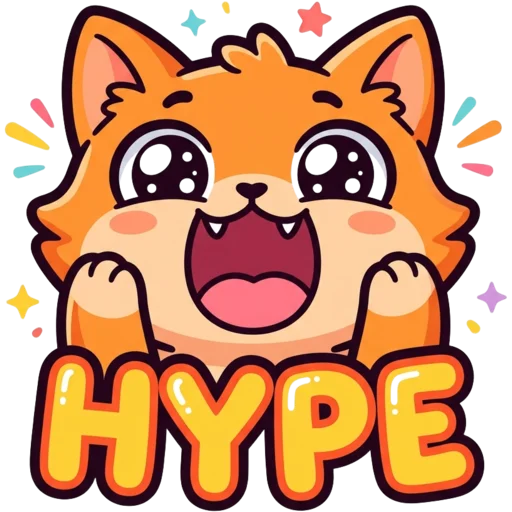
Discord emojis should be 128×128 pixels and no larger than 256 KB. PNG, JPG and GIF all work, and a GIF becomes an animated emoji. Discord shows them at about 22 pixels inside a message and about 48 pixels when sent on their own, so design for the small size.
Discord emoji size at a glance
A Discord emoji is a square image, ideally 128×128 px, under 256 KB, in PNG, JPG or GIF. Here is everything Discord checks when you add a custom emoji or sticker to a server.
| Spec | Emoji | Sticker |
|---|---|---|
| Upload size | 128×128 px | 320×320 px |
| Max file size | 256 KB | 512 KB |
| Formats | PNG, JPG, GIF | PNG, APNG, Lottie |
| Shown in chat | about 22 px inline, about 48 px jumbo | larger, on its own line |
| Animated | GIF (sending needs Nitro) | APNG or Lottie |
Why 128×128?
128×128 is the size Discord stores custom emojis at, so it is the size to upload. A bigger image is not sharper; Discord just scales it down and the file is more likely to break the 256 KB limit. A smaller image gets stretched on high-density screens and looks soft.
Keep the canvas square. A wide or tall image is fitted inside the square with empty space around it, which makes the emoji look tiny in chat. Crop tightly so the character fills almost the whole 128 px.
Already have an image? The free Discord emoji resizer turns it into a 128×128 PNG right in your browser, without uploading the file. It shows the file size and flags anything over 256 KB, and the 64 and 32 px previews show how the emoji will hold up at chat size.
Staying under 256 KB
To stay under 256 KB, keep static emojis as 128 px PNGs and trim GIFs. A static 128 px PNG almost never hits 256 KB. GIFs do. Every frame adds weight, and a GIF exported at a large size or from a video clip can be several megabytes. If Discord rejects your file:
- Resize the GIF to exactly 128×128 before anything else.
- Drop frames. A short loop of 10–20 frames is plenty for a reaction emoji.
- Reduce colours. Flat cartoon colours compress far better than photo gradients.
- For static emojis, use PNG with a transparent background rather than JPG. JPG has no transparency and adds a box around the emoji.
How big emojis look in chat
Emojis look much smaller in chat than the 128 px file you upload. Discord displays them at two sizes:
| Where | Display size |
|---|---|
| Inside a line of text | about 22 px |
| Message that contains only emojis (jumbo) | about 48 px |
| Emoji picker | small preview tiles |
So the real test is about 22 px. If you cannot tell what the emoji is at that size, the design has too much detail. The same rule applies to Twitch, where chat emotes are 28 px; see the Twitch emote size guide.
Animated emojis and Nitro
Any server can add animated emojis, but only Nitro members can send them. Animated emojis are GIF files with the same 128×128 size and 256 KB limit. Any server can upload them; they go into a separate pool of animated slots, so they do not take space from your static emojis.
Sending them is different. Only members with Discord Nitro can use animated emojis in chat. Nitro also lets people use a server's custom emojis in other servers. Without Nitro, members can use static custom emojis only in the server they belong to.
Emoji slots by boost level
A server starts with 50 static and 50 animated emoji slots, and Server Boosts raise both.
| Boost level | Static emojis | Animated emojis |
|---|---|---|
| No boosts | 50 | 50 |
| Level 1 | 100 | 100 |
| Level 2 | 150 | 150 |
| Level 3 | 250 | 250 |
Emoji name rules
Every emoji needs a name of at least 2 characters, using only letters, numbers and underscores. No spaces, no dashes. People type the name between colons, like :pog_frog:, so short, easy-to-guess names get used more. Discord fills in a name from the file name, which is a good reason to rename files before you upload them.
Discord sticker size
Discord stickers are 320×320 pixels. They are bigger than emojis and sent on their own. Upload them at 320×320 pixels as PNG, APNG (animated PNG) or Lottie, with a 512 KB limit. Because they display larger, stickers can hold more detail and a short word, which makes them a good home for designs that are too busy to work as a 22 px emoji.
Designing emojis that read small
An emoji reads small when it has one character, thick outlines and almost no text. The same habits that make a good Twitch emote make a good Discord emoji. In our own test of AI-generated emotes at chat size, characters with thick outlines and big heads stayed readable, while full-body characters and small text did not.
- One character, one emotion. Crop to the head or upper body.
- Dark, thick outlines so the emoji holds up on both dark and light themes.
- Transparent background, with the subject filling the square.
- Words only if they are very short, like "GG" or "HI".
The Discord emoji maker draws emojis this way from a text idea or a photo, removes the background and exports them at 128×128. Before you download, it shows the emoji in a dark and a light mock chat so you can judge it at chat size. For a matching avatar, try the Discord PFP maker.